Up and running in 5 minutes. No account. Your audio stays local.
Recognize your own jingles, advertisements, spoken segments, music, and other reference audio from the sound itself. Start in your browser, then scale with Pro to continuous multi-source monitoring on Windows or Linux—with a live activity overview you can check from anywhere.
Audio and fingerprint content stay in your browser. See Terms & privacy for usage data.
Tyberis Audio Tracker
MonitorLibraryActivity
RecognizedUnder a Golden Sky
Duration 3:29
Signal82%
Integrity96%
Listening
Tyberis Audio Tracker Pro · Private audio & TV monitoring
Monitor many channels. Ask AI about your data.
All on your computer or server.
Monitor radio, TV audio and live streams on your computer or server. Match audio against your reference recordings and automatically log what played, where and when.
Explore your playlists, view reports or ask AI about your data.
01 / Monitor locallyYour channels. Your reference material. Your playlists.
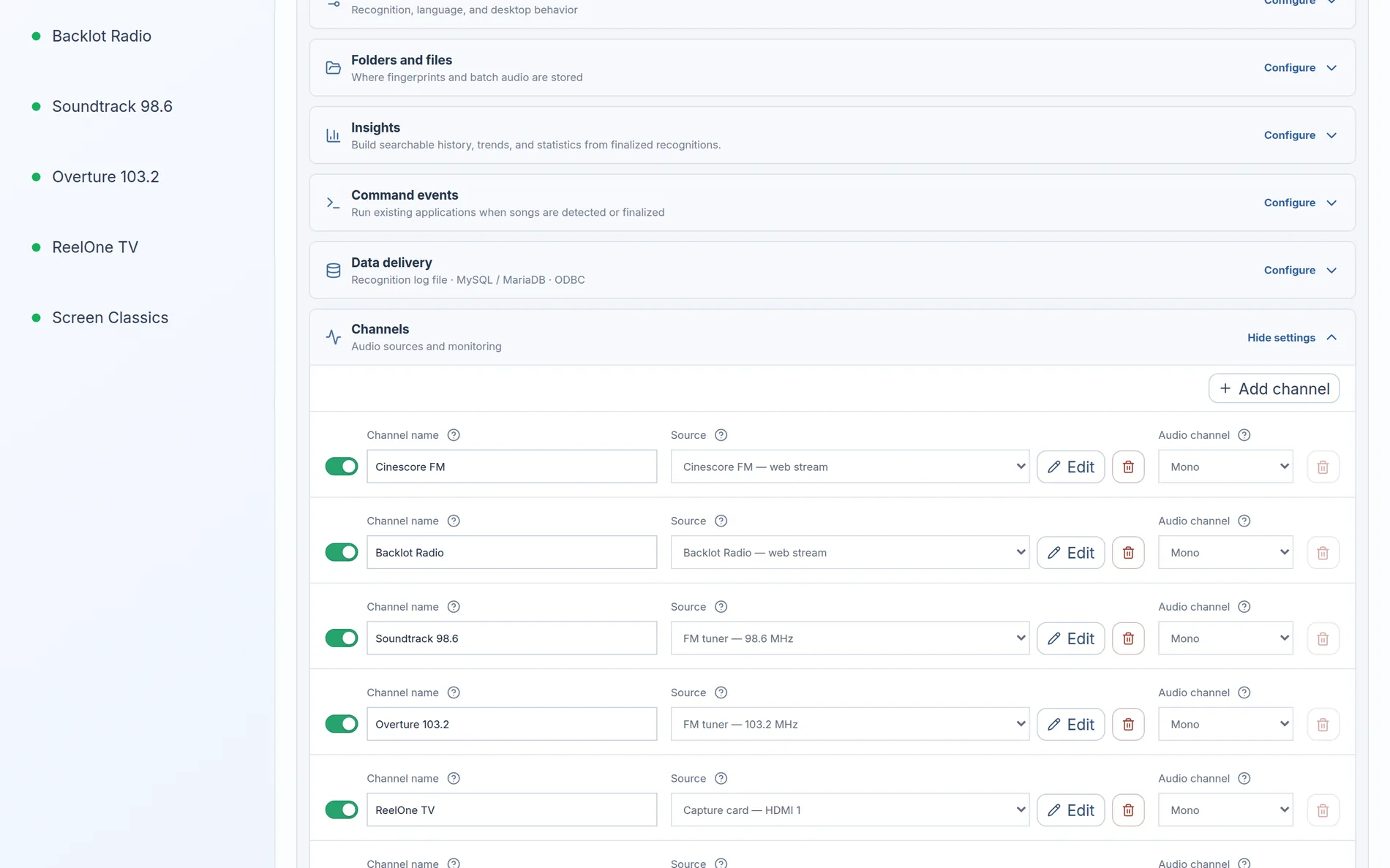
1Connect your sources. Monitor web streams, radio receivers, TV capture devices and audio inputs simultaneously. Runs on Windows/Linux desktops and servers and in containers.
2Add reference recordings. Import the reference recordings you want to recognise across your channels.
3Build playlists automatically. Tyberis matches the audio and records each detection with its channel, time and detected airtime.
02 / Explore your dataFrom recorded detections to useful answers.
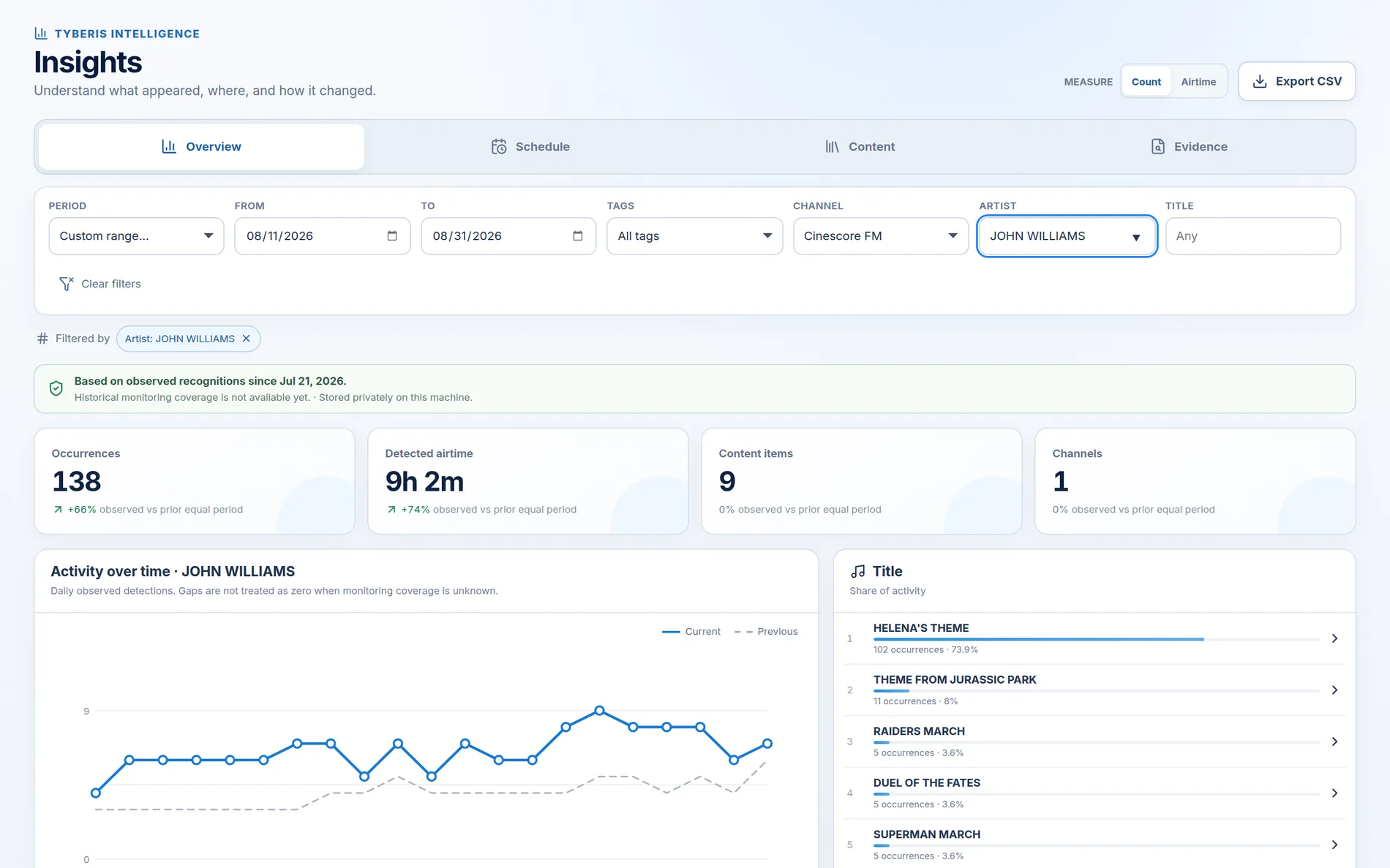
✓Explore your data with analytics. Compare channels, recordings and detected airtime across periods.
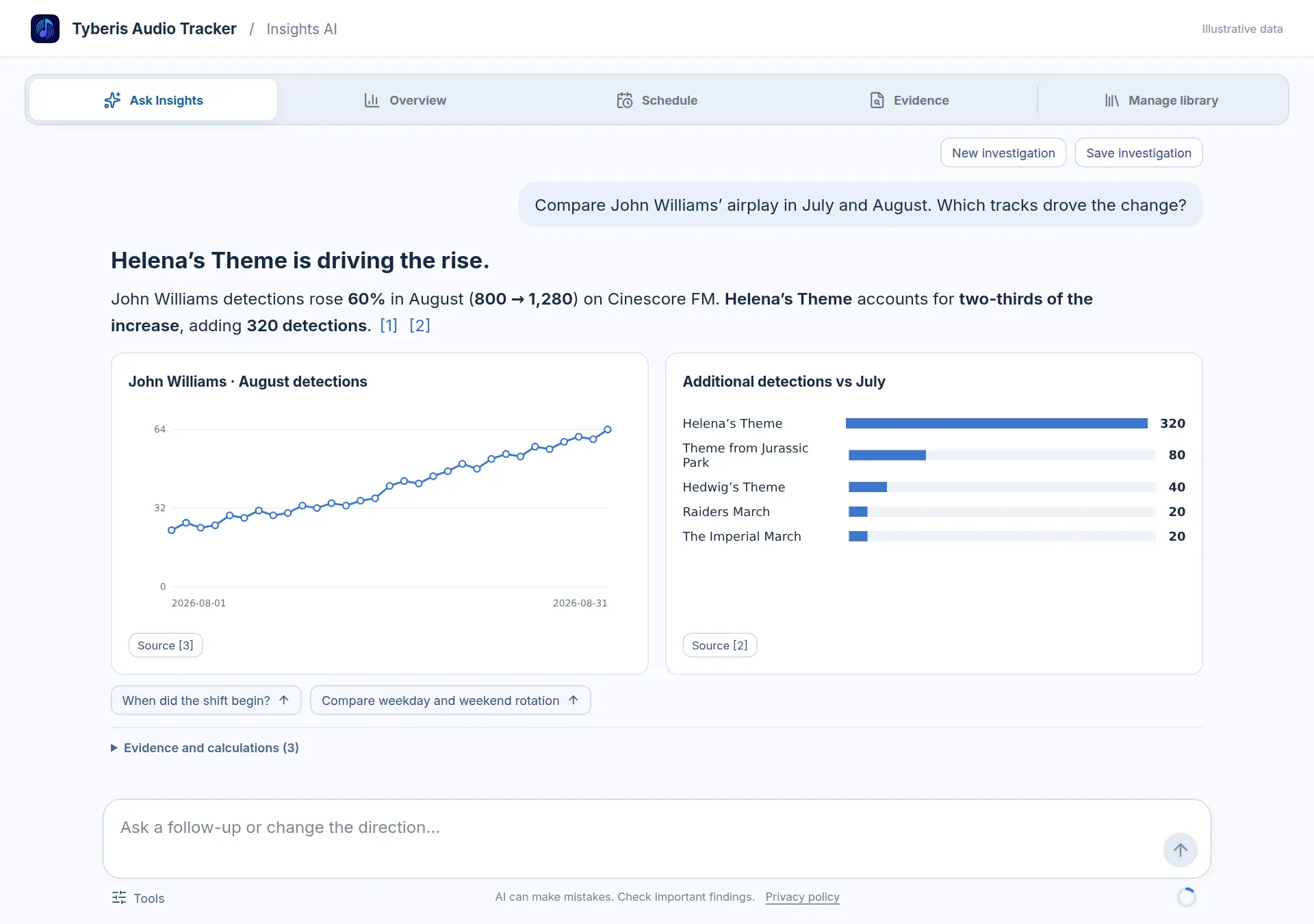
✓Ask AI about your playlists. “Which recordings are gaining airtime, and where?” “How does our programming compare with competing stations?”
✓See the evidence. Inspect the detections behind a result, export spreadsheets or connect to your database.
Pro access
Tell us what you need to monitor.
Share a few details about your sources and setup. We’ll follow up with the right Pro option.